Households, Entities and Consolidated Views
Organize your portfolios by legal entity — individual, trust, corporation, estate, or family trust — and see consolidated totals across your whole household.
Five Entity Types
Create entities of type Individual, Trust, Corporation, Estate, or Family Trust, each with its own name, tax jurisdiction, and notes, to reflect how your holdings are actually structured.
Assign Portfolios to Entities
Assign any portfolio you own to one of your entities from Settings. A portfolio belongs to exactly one entity at a time, and you can reassign it whenever your structure changes.
Consolidated Entity View
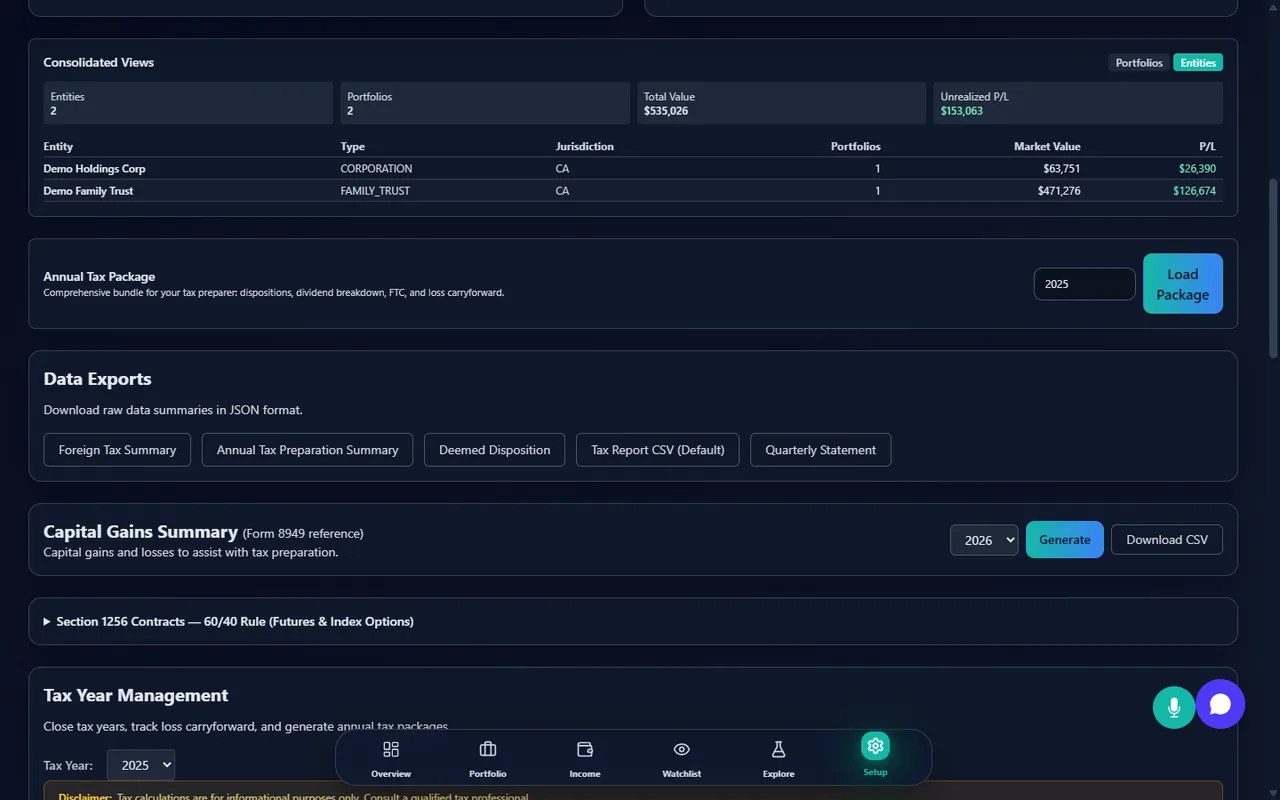
See a per-entity breakdown of portfolio count, total market value, total cost basis, and total unrealized P&L, plus grand totals rolled up across every entity you've created.
Family Groups
Create a family group and invite other StockWatcher users as members or viewers. Each invitation must be accepted before it takes effect, and only the group owner can remove members.
Consolidated Family View
View a consolidated summary across every member of a family group: total assets under management, combined allocation by currency and account type, and aggregate performance.
Member-by-Member Breakdown
Alongside the group totals, every accepted member has their own line: their role in the group, how many portfolios they hold, and the market value they contribute. You can see where the household figure comes from without opening anyone else's ledger.
How it works
Describe the structure you actually have
Create an entity for each legal owner — an individual, a trust, a corporation, an estate, or a family trust — each with its own name, tax jurisdiction and notes, so the app reflects how your holdings are really organised.
Assign each portfolio to its owner
A portfolio belongs to exactly one entity at a time and can be reassigned when your structure changes. Nothing is merged: every entity keeps its own transaction ledger, its own cost basis, and its own reporting.
Invite the people who hold their own accounts
A family group invites other StockWatcher users as members or as view-only participants. Every invitation has to be accepted by the person receiving it, and only the group owner can remove someone.
Roll it up when you need the whole picture
The consolidated view aggregates market value, cash and cost basis across your entities, and assets under management, currency and account-type allocation and an aggregate return across family members — while the underlying ledgers stay separate.
What it does not do
Knowing where a tool stops is worth more than a longer list of what it claims. These are the boundaries of what StockWatcher does here.
It is a reporting layer, not a legal or tax structure
Creating an entity here records how you have organised your holdings. It does not create, register or alter anything in law, and it does not determine which entity should hold what. Those are questions for your accountant and your lawyer.
Consolidation is not joint ownership
Each entity and each member keeps a separate ledger. There is no shared portfolio several people write to, no joint cost basis, and no way to move a holding from one entity to another as a single action.
Members must join, and can leave
A family group only shows what its members have agreed to contribute. Nobody's data appears without their acceptance, and a member who leaves takes their figures out of the consolidated view with them.
No attribution rules and no consolidated return
Attribution rules, corporate integration, trust distributions and estate treatment are not modelled, and no consolidated tax return is produced. Cross-account superficial loss checking sees only accounts linked in a family group, so relatives outside it stay invisible to it.
Related Resources
Start organizing your household and entities
Available on Standard and Pro plans. Free 14-day Pro trial included.
Create Your Free AccountEntity and family-group tools are for personal organizational tracking only. They do not create, register, or modify any legal trust, corporation, or estate, and are not a substitute for advice from a qualified lawyer or accountant on how to legally structure your holdings.